
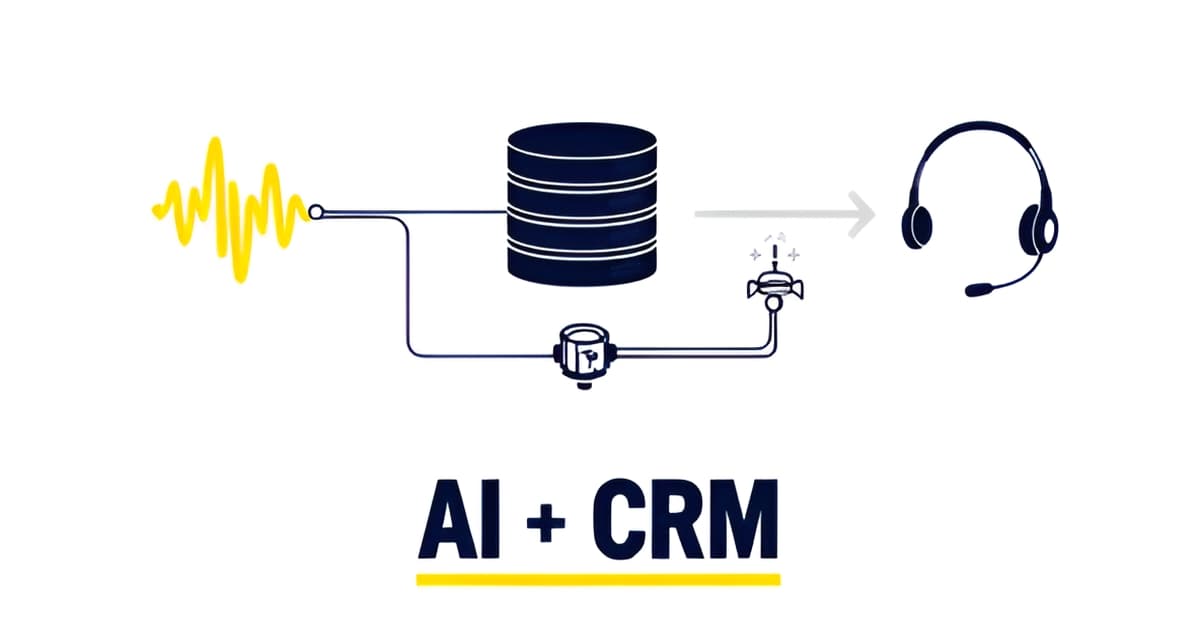
Integrating AI Answering with Insurance CRM Systems
Key Facts
- 91% of insurance agencies use AI, yet only 24% have it integrated into their AMS or CRM per AgencyBloc's industry report.
- 61% of agencies say CRM-integrated AI is extremely or very important, but most are still waiting for it according to industry research.
- 83% of agencies rely on general-purpose tools like ChatGPT rather than systems connected to their client data the AgencyBloc report found.
- Only 8% of consumers are comfortable with full AI automation in insurance, while 42% want to review options first Accenture's 25,000-consumer survey shows.
- Salesforce's Agentforce deployments report 40-60% containment rates, with human agents receiving full transcript context on handoff per CMSWire's coverage.
- McKinsey found change management represents half the effort of AI implementation, budget a dollar on adoption for every dollar on development its insurance AI research advises.
- A US health insurance agency piloted intelligent bots on one line of business before scaling to handle roughly 80% of inquiries per ScienceSoft's case study.
The Integration Gap: Agencies Use AI, But Not Where It Counts
Almost every insurance agency is using AI right now. Very few have put it where it actually matters.
According to the AgencyBloc industry report, 91% of agencies use AI in some form and 58% use it daily. But only 24% have AI integrated into their AMS or CRM, even though 61% say that integration is extremely or very important. Most agencies are running AI in a separate window while their client data sits in a completely different system.
That gap has a real cost. When your AI answering tool lives outside the CRM, someone on your team still has to copy call notes, lead details, and follow-up tasks from one place to another. The AI might capture a caller's name, email, coverage type, and timing perfectly. But if that information doesn't land in the system your producers actually work from, it's just another form of manual data entry with extra steps.
Here's the part that makes this worse: the capabilities agencies want most can't work without CRM data. The AgencyBloc report is explicit that the top requested features, including renewal reminders, follow-up drafting, and data entry, all depend on data that already lives inside the systems agencies use every day. A renewal reminder requires knowing renewal dates. A follow-up draft requires the client's policy history. An AI that can't read your CRM can't do any of it.
So what does the current state look like in practice?
- 83% of agencies rely on general-purpose tools like ChatGPT rather than purpose-built, connected systems
- Roughly a third describe their AI use as informal experimentation
- Only 11-12% call their AI use strategic or a significant part of their agency strategy
McKinsey's research on AI in insurance flags the same pattern at a larger scale. Their analysis warns that layering AI on top of existing processes, or worse, inserting an extra step into a workflow with an unnecessary AI tool, doesn't create lasting value. The value comes from rewiring the process end to end, which for an agency means the AI answering calls should write directly into the AMS, not sit beside it.
This is exactly why we at Agents by AIQ build AI receptionists and follow-up agents that connect to the tools an agency already runs, rather than adding one more disconnected window to the desktop. The integration isn't a nice-to-have detail. It's the difference between AI that saves your team time and AI that quietly creates more busywork.
Two Integration Paths: Middleware First, Native as the Target
You have two architecture options for connecting an AI answering agent to your insurance CRM, and they serve different stages of growth. The first is middleware: an integration platform such as Make.com or Zapier that sits between the AI agent and your CRM. In this pattern, the agent collects lead details (name, contact email, insurance type needed, timing) and pushes them into the CRM automatically, so no lead gets lost in a voicemail box or a sticky note. Phone connectivity comes from linking a real phone number through a telephony provider like Twilio.
Middleware lowers the barrier for smaller agencies. You get automatic lead capture without rebuilding your stack, and you can be live in days rather than months. This matters given the adoption gap: industry research finds 61% of agencies say AI built into their AMS or CRM is extremely or very important, yet only 24% actually have it integrated today.
Native integration is the target state. Salesforce's Agentforce Contact Center shows what that looks like: voice, digital channels, CRM data, and AI agents in one platform, so when the AI escalates a call, the human agent receives the full transcript and context instantly. Early deployments report 40-60% containment rates. The payoff is continuity. As Salesforce's Kishan Chetan puts it, customers don't experience a voice system, a digital system, and a CRM separately.
A practical sequence looks like this:
- Start with middleware to capture leads automatically and prove value fast.
- Keep your CRM as the system of record; the agent writes to it, never around it.
- Build escalation paths so complex calls reach a person with context attached.
- Move toward native or API-first integration as call volume and complexity grow.
Speed first, depth second. That order lets a small agency see results without waiting on a full platform migration. Agents by AIQ builds and operates these connections for agencies working in the tools they already run, and the path from middleware to native integration is something we scope with you rather than prescribe upfront.
Book a call to scope your AI receptionist integration and map which path fits your current CRM. Done-for-you AI agents that answer your calls, follow up with leads, and connect to the CRM you already use, built and operated by AIQ Labs.
Designing the Handoff: Escalation Paths Your Callers Will Accept
The most important design decision in your AI answering setup isn't what the assistant can handle. It's what happens when it can't. Callers will forgive a bot that routes them quickly to a human. They won't forgive a bot that traps them.
The consumer data backs this up. Accenture's survey of more than 25,000 consumers across 16 countries found that 33% would let an AI assistant handle service tasks like claims, rising to 43% among Millennials. But only 8% are comfortable with full end-to-end automation without human oversight, and 42% want to review options before any decision is made. In other words, people accept AI in the workflow. They reject AI as the whole workflow.
That's why your routing logic needs to sort calls by intent before anything else gets built. A practical pattern, described in implementation guides for insurance answering services, uses conditional blocks to classify each call and act accordingly:
- Claims and emergencies alert a human agent immediately, with the assistant staying on to collect details while the team is being paged.
- Quote requests get handled entirely by the assistant, which captures name, contact email, insurance type needed, and timing, then pushes the lead straight into the CRM so nothing gets lost.
- Routine questions route to an FAQ assistant built from your existing policy documents and site content.
The escalation path matters as much as the routing. When a call does reach a person, the human shouldn't start from zero. Salesforce's Agentforce Contact Center, for example, was built specifically so that human agents receive the full transcript and context instantly when AI hands off a conversation. The company cites 40-60% containment rates in early deployments, meaning the AI resolves roughly half of interactions on its own and escalates the rest with context intact. That handoff moment is where trust is won or lost: 89% of customers report frustration at having to repeat information across channels, so a transcript that follows the caller is non-negotiable.
Accenture's Ravi Malhotra frames the strategic point well: the winners in an AI-mediated market are those "investing in the human moments that consumers are not yet ready to delegate." For an agency, that means the AI receptionist earns its keep on volume: after-hours calls, quote capture, routine policy questions. The licensed agent stays exactly where regulation and caller trust put them: on the claims, the emergencies, and the moments where a person wants a person. When we at Agents by AIQ design these systems for insurance clients, the escalation rules are the first thing we map, before any conversation flow is written.
The Implementation Steps: From Knowledge Base to Phased Rollout
The gap between wanting AI in your CRM and actually having it is where most agencies stall: industry research shows 61% of agencies say CRM-integrated AI is extremely or very important, yet only 24% have achieved it. The good news is that the implementation path is more manageable than the gap suggests, if you sequence it deliberately.
Start with what you already own. Your policy documents, carrier brochures, FAQ pages, and client data sitting in your CRM form the raw material for the AI's knowledge base. Practical integration guides describe uploading these existing assets directly, so you're repurposing content rather than writing new scripts from scratch. Inventory everything first: coverage summaries, claims procedures, office hours, and the questions your staff actually answer every day.
Next, map the data the agent captures to your CRM fields. A typical answering flow collects the caller's name, contact email, insurance type needed, and timing of the request. Decide up front where each piece lands in your system so leads flow in cleanly and no one on your team re-keys information. This mapping is what separates a true integration from a bolt-on that creates more copy-paste work.
Then connect a real phone number. Voice connectivity is what makes the difference between a browser demo and an agent that actually picks up when clients call your main line. From there, middleware like Zapier or Make.com can push captured leads straight into your CRM.
Before a full rollout, pilot on one line of business:
- Pick a single line, such as personal auto or P&C, to limit blast radius
- Record your current baseline: missed calls, response time, lead capture rate
- Run for 30 to 60 days with defined escalation rules for claims and emergencies
- Compare results against your own baseline, not vendor benchmarks
- Expand to additional lines only after the pilot hits your internal bar
This phased approach mirrors how real deployments have worked: one US health insurance agency piloted intelligent bots on a specific line before scaling, and the bots ended up handling roughly 80% of textual and voice inquiries.
Here's the part most agencies underestimate: the technical work is only half the job. McKinsey's research on insurance AI is blunt about this, finding that change management represents half the effort required to secure impact, and advising that for every dollar spent developing AI solutions, you plan to spend at least another dollar on adoption and scaling. Their report calls change management "the key differentiator between AI sitting idle and AI transforming operations."
So budget adoption work with the same seriousness as the integration itself. Train your staff on when the AI escalates, who reviews transcripts, and how leads get worked. Teams like Agents by AIQ build these rollouts as done-for-you projects, but even with outside help, your team owns the daily habits that make the integration stick. Plan for that from day one and you'll land in the 24%, not the 61%.
What to Ask Before You Commit to an Integration Approach
Before you sign anything or build anything, run the numbers from the AgencyBloc industry report through your head: 61% of agencies say it's extremely or very important that AI be built into their existing AMS or CRM, yet only 24% actually have that integration (source: the 2026 industry report). That gap is where most integration decisions go wrong, because agencies buy tools instead of asking hard questions first.
The same report found that roughly a third of agencies describe their AI use as "informal experimentation," and only 11-12% call it strategic. Experimentation is fine as a starting point, but it becomes a trap when your answering AI lives in one tool, your client data lives in another, and a human has to shuttle information between them. McKinsey's research on insurance AI makes the same point more bluntly: layering AI on top of existing processes, or "inserting an additional step in a workflow with an unnecessary AI tool," doesn't create lasting value (source: McKinsey's insurance AI analysis).
So before you commit to any integration approach, put these four questions to the vendor or builder:
- Does the AI read from and write to your CRM directly? The most-requested AI capabilities, like renewal reminders, follow-up drafting, and data entry, all depend on data that already lives in your systems. If the AI can't touch that data, it's a bolt-on, not an integration.
- Does the escalation handoff preserve full context? Salesforce's Agentforce deployments surface the full transcript and context to human agents the moment AI escalates. That matters because 89% of customers get frustrated repeating information across channels (source: CMSWire's coverage of Agentforce). A handoff that drops context just moves the frustration.
- Do you own the data and the setup? If the vendor holds your call logs, transcripts, and configuration hostage, you've rented a dependency, not built a capability.
- Can you start month-to-month on one line of business before scaling? ScienceSoft's case work describes piloting on a single line before broader rollout, and Decerto's methodology recommends scoping pilots as one line of business with limited integrations, measured against your own baseline.
If a proposed integration can't answer yes to all four, you're likely buying another experiment, and you already know how those turn out. This is also why a done-for-you build, where someone designs, connects, and runs the agent against your CRM for you, tends to beat DIY assembly. McKinsey found that change management represents half the effort in securing AI impact, and most small agencies don't have that half to spare.
That's the model Agents by AIQ works in: a scoped build on your terms, month-to-month, with you owning the setup. Book a call to scope your AI receptionist integration, and close the 61% versus 24% gap with something that actually runs.
Frequently Asked Questions
Can an AI receptionist actually write leads into my AMS or CRM, or will my team still be copying information by hand?
Should I start with middleware or wait until native CRM integration is available?
What happens when the AI gets a call it can't handle, like a claim or an emergency?
Will my clients actually accept talking to an AI, or will they get frustrated and hang up?
How long does it take to get an AI answering agent live on my main phone line?
What should I ask a vendor before committing to an AI answering integration?
Close the Gap Between Wanting Integration and Having It
The numbers tell a clear story: 61% of agencies say AI built into their AMS or CRM is extremely or very important, yet only 24% have actually achieved it, according to the AgencyBloc industry report. The difference between those two groups isn't better technology, it's a deliberate sequence: start with middleware to capture leads automatically, keep your CRM as the system of record, design escalation paths that hand callers to a human with full context, and pilot on one line of business measured against your own baseline. Just as important, budget for adoption with the same seriousness as the integration itself, because the habits your team builds around the tool determine whether it saves time or creates busywork. If you're ready to move from informal experimentation to an AI receptionist that answers your calls, follows up with leads, and writes directly into the CRM you already use, Agents by AIQ can scope that path with you, month-to-month, with you owning the setup. Book a call to map which integration approach fits your agency.